Roles aren’t a must have, rather they are nice to have. They make portions of a playbook reusable. In short, if there is something that may need to be added to multiple playbooks, then it’s likely a good candidate for becoming a role. Roles can be thought of as functions or subroutines.
In reality, a role is just a folder structure with a few files. Here’s the structure for a role named “test-role”.
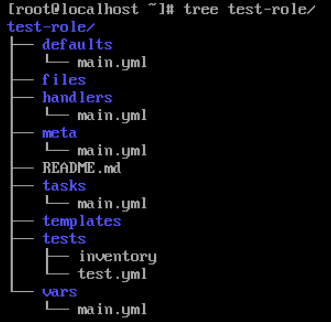
The folders’ purposes are as follows:
As you can see, most folders contain a main.yml file, which is the default file name and required.
In chapter 1.8 we discussed creating a specific list of users, which can be quite common, which means it’s likely something that can become a role.
My recommendation is not to create the role first, rather I suggest making a playbook that includes all of the tasks first. Once everything is working, extract the required pieces out.
I’ll start with the playbook from 1.8 basics-loops.yml:
---
- name: Add Users
  hosts: basics-host
  become: true
  gather_facts: false
  vars:
    admin_users:
      - user1
      - user2
      - user3
  tasks:
    - name: Add a user1
      ansible.builtin.user:
        name: "{{ item }}"
        state: present
      loop: "{{ admin_users }}"
Now I’ll create a role structure for it. There are two ways to do this: I can create the folders and files manually, or I can use the ansible-galaxy CLI tool(I’ll be demonstrating the manual process).
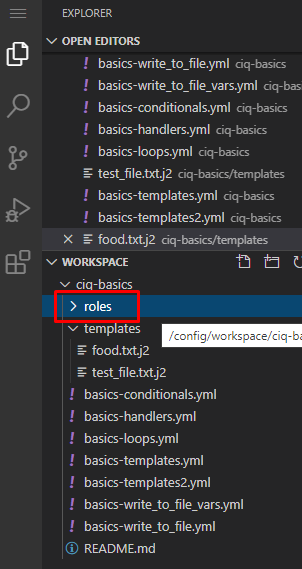
Start by right clicking on the ciq-basics folder and selecting new folder. Name the new folder roles:
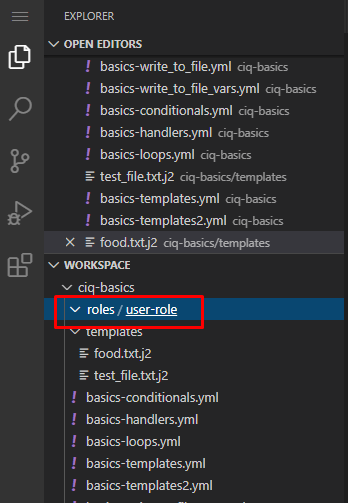
Now inside of roles create a user-role folder (user-role is the name of our new role):
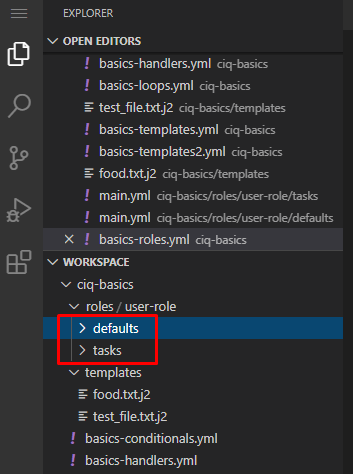
Inside of user-role, create the following directories (these are case sensitive!):
I’ll create the user-role/tasks/main.yml file and add the tasks from the above playbook:
---
- name: Add a user1
  ansible.builtin.user:
    name: "{{ item }}"
    state: present
  loop: "{{ admin_users }}"
As you can see I added the task just as seen. Notice that the “tasks” keyword isn’t included, just all of the tasks I want to run in order.
My playbook had a variable in use, and I’ll add this to my role also. I have two possible spots: one is in the defaults folder and one is in the vars folder. The vars are variables that generally won’t be changed, while the defaults folder contains variables that are often/should be changed. It’s for this reason I’ll put them in the defaults folder.
Create the user-role/defaults/main.yml file as follows:
---
admin_users:
  - user1
  - user2
  - user3
Again, I just put the raw variables I need in there.
Now create the following playbook in the base of your git repository:
basics-roles.yml
---
- name: Add Users
  hosts: basics-host
  become: true
  gather_facts: false
  tasks:
    - name: Add users role
      include_role:
        name: user-role
Notice how much the playbook has shrunk!
There is more than one way to call a role, but inline tasks is my preferred method. I simply use the include_role module, then specify the role name.
Commit to your git repo, sync the project, add it to a job template, and launch it:
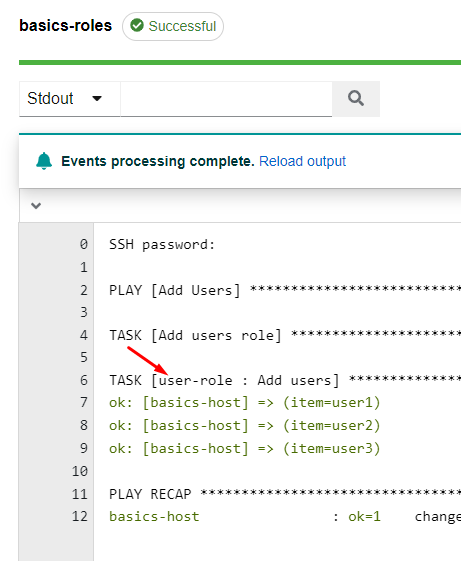
Notice in the output that the task that is performing action of the role has the name of the role prefaced on those tasks, which makes it much easier to troubleshoot.
There are often times where you can use a module where there is an include option and an import option, and in our example here it is include_role and import_role.
The difference is subtle, but important.
import_role: This will process all variables used with this module at the very beginning of the playbook run.
include_role: This will process the variables used with this module at the time it is called.
This means if you are going to build a variable during your playbook run, the only way to use that variable with a role is if you use the include_role option as it won’t be processed until the moment it is called. The import_role module doesn’t allow for this.