Conditionals are used in virtually every playbook I write. It gives an admin the ability to run a task for an individual host based on whether a statement returns true or not.
Conditionals are very often comparing either one variable to another or one variable to a static value. It’s then when: option followed by a comparison:
Compare variables
when: var1 == var2Compare variable to static
when: var1 >= 5Let’s create a simple playbook named basics-conditionals.yml to experiment with conditionals. The contents are as follows:
---
- name: Conditional testing for distribution
  hosts: basics-host
  #gather_facts: false
  tasks:
    - name: Perform an action when distribution is Rocky
      when: ansible_facts.distribution == "Rocky"
      ansible.builtin.debug:
        msg: "Obviously, {{ ansible_facts.distribution }} is the best OS"

    - name: Perform an action when distribution is anything else
      when: ansible_facts.distribution != "Rocky"
      ansible.builtin.debug:
        msg: "Unfortunately {{ ansible_facts.distribution }} isn't Rocky, but we can still be friends ;)"
Be sure to comment, commit, and push it!
Notice that I commented out gather_facts: false, which means this playbook will gather facts (a collection of information about the system variablized). We’ll be using the returned information in our conditionals. Let’s look at the first task more closely:
    - name: Perform an action when distribution is Rocky
      when: ansible_facts.distribution == "Rocky"
      ansible.builtin.debug:
        msg: "Obviously, {{ ansible_facts.distribution }} is the best OS"
I’m paying close attention to the conditional statement. Gathered facts are stored under the “ansible_facts” variable. If you want to see everything returned, try debugging “var: ansible_facts” (totally optional, though). In this instance I’m checking to see if the distribution variable is equal to Rocky, and if it is, it will execute the task, which in this case is to just print out a cheeky message.
The next task has a conditional that is anything not equal to Rocky:
    - name: Perform an action when distribution is anything else
      when: ansible_facts.distribution != "Rocky"
      ansible.builtin.debug:
      msg: "Unfortunately {{ ansible_facts.distribution }} isn't Rocky, but we can still be friends ;)"
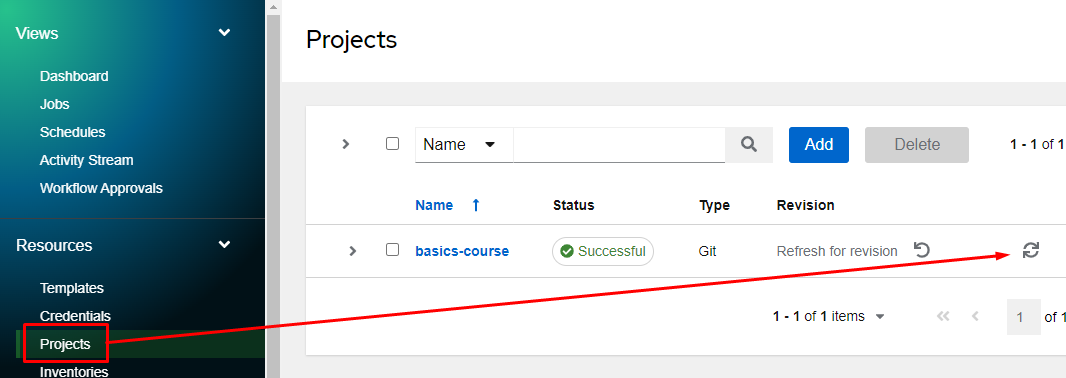
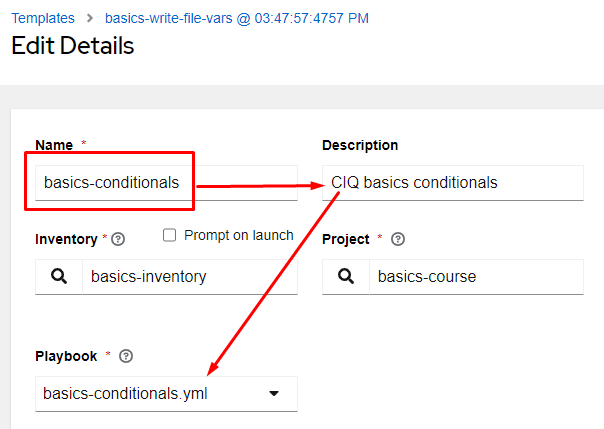
Add the full playbook to your git repository, resync your project, copy one of our existing job templates, and launch it:
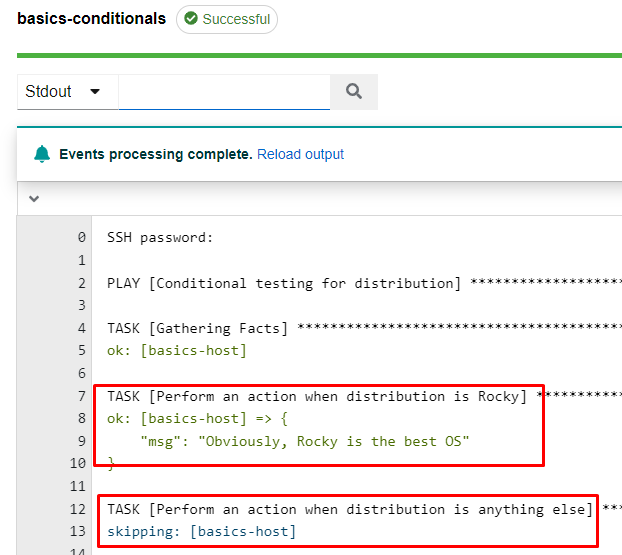
Notice my output.
Task 1 is Gathering Facts. Even though I didn’t add a task for gathering facts, if I don’t turn off gather facts it runs as if it’s a standard task.
Task 2’s conditional matched, so it processed that host.
Task 3, however, didn’t match the conditional, so it showed up as “skipping”. That simply means it didn’t match, but everything is working ok.
Keep in mind that it checks this conditional for each host being processed, so some may match and process while others skip.
Conditionals can have more than one match value using “and” as well as “or”:
when: var1 == var2 and var3 != var4You can also use mathematical operators like so:
when: (var1 == var2 and var3 != var4) or var5 == 12Let’s test by modifying our previous playbook:
---
- name: Conditional testing for distribution
  hosts: basics-host
  #gather_facts: false
  tasks:
    - name: Perform an action when distribution is Rocky
      when: ansible_facts.distribution == "Rocky"
      ansible.builtin.debug:
        msg: "Obviously, {{ ansible_facts.distribution }} is the best OS"

    - name: Perform an action when distribution is anything else
      when: ansible_facts.distribution != "Rocky"
      ansible.builtin.debug:
        msg: "Unfortunately {{ ansible_facts.distribution }} isn't Rocky, but we can still be friends ;)"

    - name: Perform an action when it's afternoon
      when: ansible_facts.system == "Linux" and ansible_facts.date_time.hour | int >= 12
      ansible.builtin.debug:
        msg: "It's a good afternoon for Linux"

    - name: Perform an action when it's morning
      when: ansible_facts.system == "Linux" and ansible_facts.date_time.hour | int < 12
      ansible.builtin.debug:
        msg: "It's a good morning for Linux"
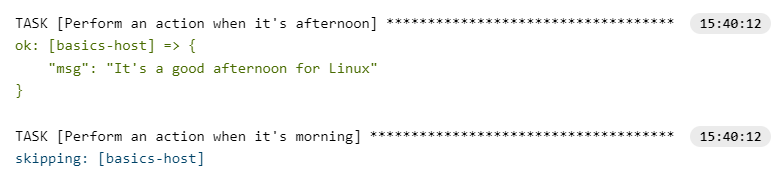
The two new tasks are simply using debug to print out a few statements, but have a look at the new conditionals. They are both compound and looking for systems that are Linux. After that they are looking at the clock on the server to see if it’s morning or afternoon. Notice anything new in there? Here I’m piping the hour variable to a plugin that converts it to an integer | int. By default it is being returned as a string and if I want to perform a comparison that is greater than or less than I need it to be an actual number. Once you have your updated playbook in git, launch the job again and have a look at the output:
Blocks are a quick and simple way to group tasks together and come with some advantages. One big one is that you can attach a single conditional for the block instead of having to attach it to each individual task. Let’s modify the previous playbook again to test with as follows:
---
- name: Conditional testing for distribution
  hosts: basics-host
  #gather_facts: false
  tasks:
    - name: Perform an action when distribution is Rocky
      when: ansible_facts.distribution == "Rocky"
      ansible.builtin.debug:
        msg: "Obviously, {{ ansible_facts.distribution }} is the best OS"

    - name: Perform an action when distribution is anything else
      when: ansible_facts.distribution != "Rocky"
      ansible.builtin.debug:
        msg: "Unfortunately {{ ansible_facts.distribution }} isn't Rocky, but we can still be friends ;)"

    - name: Block for Linux check
      when: ansible_facts.system == "Linux"
      block:
        - name: Perform an action when it's afternoon
          when:  ansible_facts.date_time.hour | int >= 12
          ansible.builtin.debug:
            msg: "It's a good afternoon for Linux"

        - name: Perform an action when it's morning
          when: ansible_facts.date_time.hour | int < 12
          ansible.builtin.debug:
            msg: "It's a good morning for Linux"
Looking at the sections highlighted in green above I can see the introduction of the block. I do have a name option there, but since it’s attached to a block, it won’t appear in output, it’s simply there for documentation purposes.
A conditional attached to a block means the check only happens once at the top of the block, and if it passes, the host will process on the entire block. You will also notice that each task under the block has been indented to line up with the block(this is how tasks are designated to be within the block).
Also note that the sub tasks are also allowed to have their own conditionals if they desire.
Now that I have updated my playbook, and committed it to my git repository, I’ll launch the job template again:
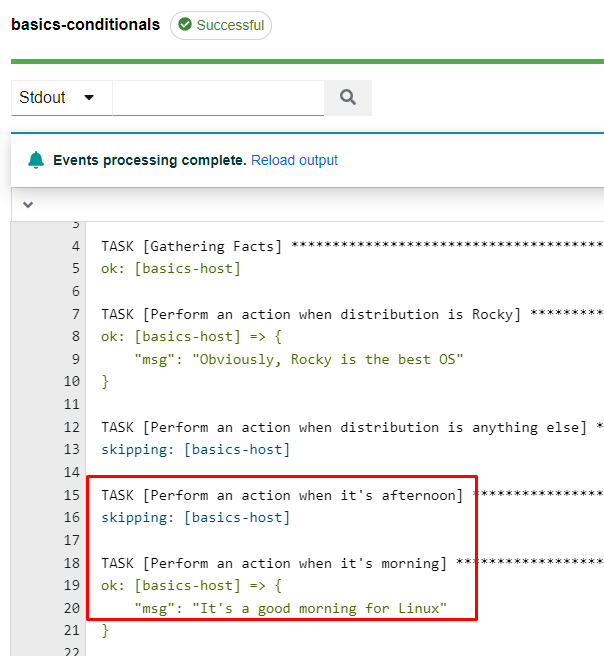
The output appears the same as before, but now the processing is utilizing a block.