Loops are used frequently in playbooks as they add efficiency and flexibility.
The loop option, when added to a task, allows you to iterate over a list of items. This list can be a statically defined list of things, or can be information dynamically collected via a task and used in subsequent tasks. This is where the flexibility portion comes into play; if a task returns a list of 2 items or 10 items, they will all be efficiently iterated against.
A playbook for adding three users could look something like this. I’ll add it to VSCode as basics-loops.yml:
---
- name: Add Users
  hosts: basics-host
  become: true
  gather_facts: false
  tasks:
    - name: Add a user1
      ansible.builtin.user:
        name: user1
        state: present

    - name: Add a user2
      ansible.builtin.user:
        name: user2
        state: present

    - name: Add a user3
      ansible.builtin.user:
        name: user3
        state: present
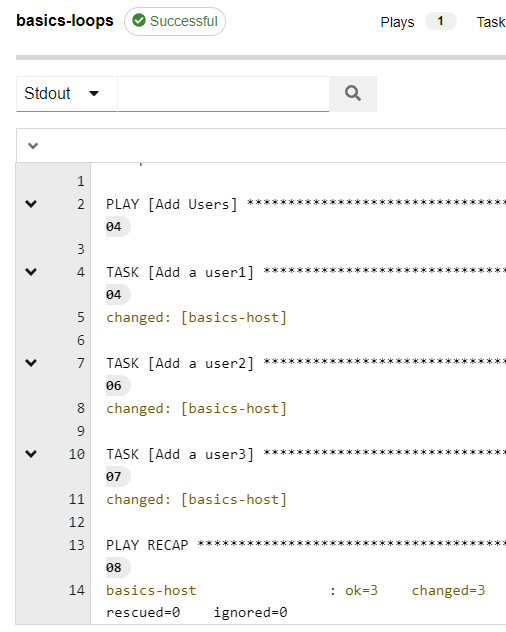
As you can see I’m adding three users and using three separate tasks. One this makes the playbook longer than needed, and two, it processes less efficiently. Don’t forget to comment, commit, and push.
Be sure to resync your project, then copy a job template, and launch it:
Now, let’s make it a loop.
I’ll modify my basics-loops.yml file as follows:
---
- name: Add Users
  hosts: basics-host
  become: true
  gather_facts: false
  tasks:
    - name: Add a user
      ansible.builtin.user:
        name: "{{ item }}"
        state: present
      loop:
        - user1
        - user2
        - user3
First, you should notice that the playbook is significantly smaller now.
Next, you will notice the loop option that was added. I statically added the user entries right under the loop section, though this isn’t common.
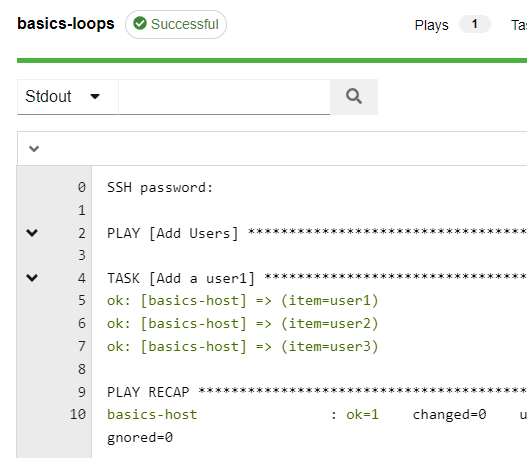
So as a task iterates over a loop, the returning information is presented to the task via the variable “item”. You can see here in red that I’m specifying the variable as “{{ item }}”. This means the task will loop three times for each host supplying the module with the components of the loop.
Update your playbook too, and relaunch:
This is a more common method seen when using loops; modify your playbook to match and give it a launch:
---
- name: Add Users
  become: true
  hosts: basics-host
  gather_facts: false
  vars:
    admin_users:
      - user1
      - user2
      - user3
  tasks:
    - name: Add a user
      ansible.builtin.user:
        name: "{{ item }}"
        state: present
      loop: "{{ admin_users }}"
Here you can see I added a variable in the vars section named admin_users with the same contents as before.
Next have a look at the loop option, it now has a variable as its contents. If I were pulling this list via a previous task, then this is exactly how I would present the information to a loop. The contents of the admin_users variable could have 1 entry or it could have 100, hence the flexibility.
Update your playbook and relaunch your job:
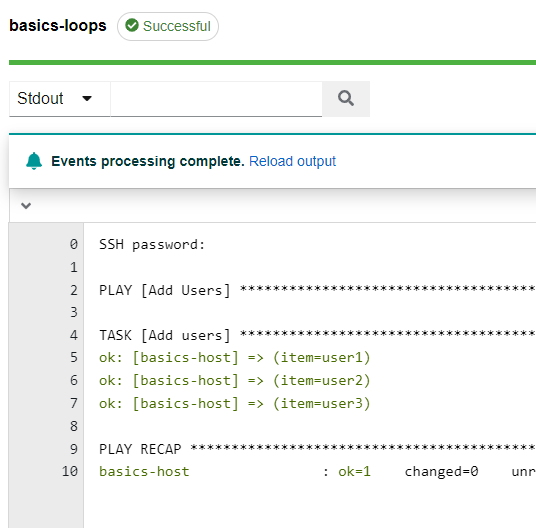
The output looks identical to the previous run, though now it’s far more flexible. For example , I could override the admin_users variable at runtime via the extra vars option and create a completely different set of users.