Ansible uses the Jinja2 templating engine.
Ascender will look in a folder named templates, then the root of the repository for any files. For good hygiene I’ll create a folder named templates first:
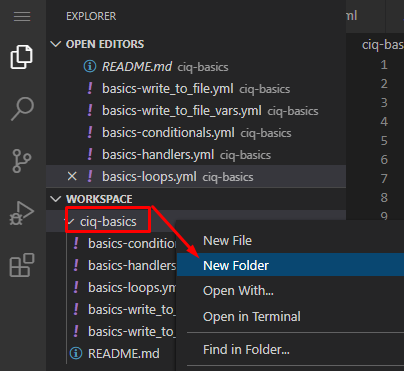
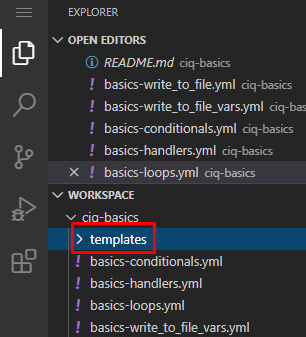
Now create the following file in your templates folder:
test_file.txt.j2
This server is {{ inventory_hostname }}
Its purpose is {{ purpose }}.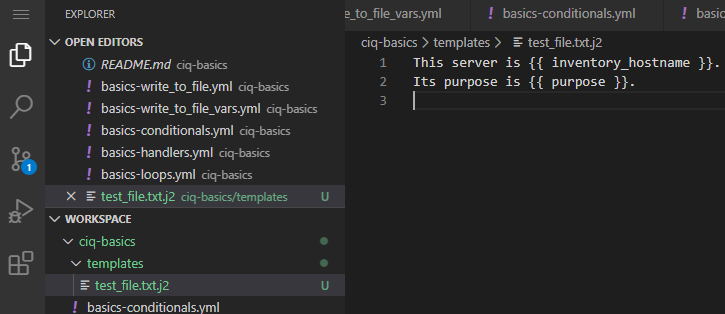
As you can see it’s not very complicated. It is just a plain text file with two variables that will be replaced at the time of execution.
Create this playbook that will utilize this template in the standard ciq-basics folder:
basics-templates.yml
---
- name: Conditional testing for distribution
  hosts: basics-host
  #gather_facts: false
  vars:
    purpose: Ansible Testing
  tasks:
    - name: Write template file
      ansible.builtin.template:
        src: test_file.txt.j2
        dest: /tmp/test_file.txt

    - name: Grab contents of file
      ansible.builtin.shell: cat /tmp/test_file.txt
      register: file_contents

    - name: Display file_contents
      ansible.builtin.debug:
        var: file_contents.stdout_lines
Everything here you’ve seen already, save for the task highlighted in green. Here we are using the template module. As you can see I simply specify the source template file and the destination file that will be created or modified on the host system… and that’s it.
In VSCode, comment, commit, and push. In Ascender resync your basics project, create a job template (I’m going to copy an existing one for speed), and launch it:
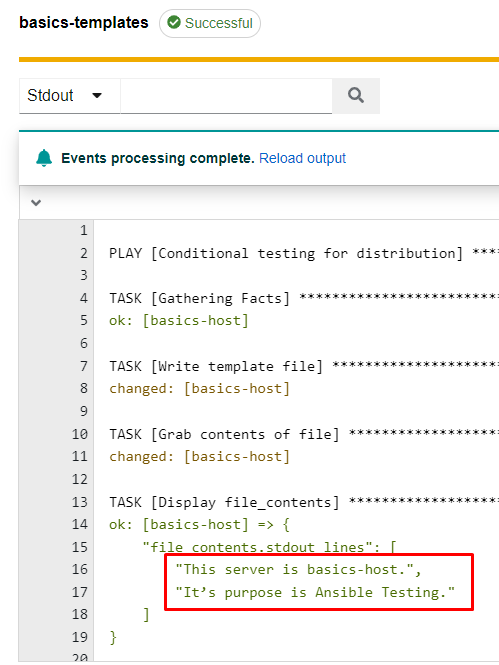
As you can see it does simple variable replacement.
Let’s start by creating two new files in my git repository. First the playbook:
basics-templates2.yml
---
- name: Write file on localhost
  hosts: basics-host
  gather_facts: false
  vars:
    fav_foods:
      - tacos
      - burgers
      - donuts
  tasks:
    - name: Write file test.txt to the temp folder
      ansible.builtin.template:
        src: food.txt.j2
        dest: /tmp/food.txt

    - name: Grab contents of file
      ansible.builtin.shell: cat /tmp/food.txt
      register: file_contents

    - name: Display file_contents
      ansible.builtin.debug:
        var: file_contents.stdout_lines
The only thing of note here is that I define a list named fav_foods that is consumed by the template.
Now create the template itself in the templates folder:
food.txt.j2
My favorite foods are:
{% for food in fav_foods %}
-<[ {{ food }} ]>-
{% endfor %}
In this template, anything defined inside of the {% %} is used for logic and won’t show up in the result of the template. Here I’m defining a for loop which consists of the contents of the fav_foods variable. So for each list item the template will process everything until the {% endfor %} section.
Once these are saved (remember the VSCode steps?), put them into a job template (remember the Ascender steps yet?), and launch. If when you are making your template and choosing your playbook, if the new one doesn’t show up in the list, remember to resync the project:
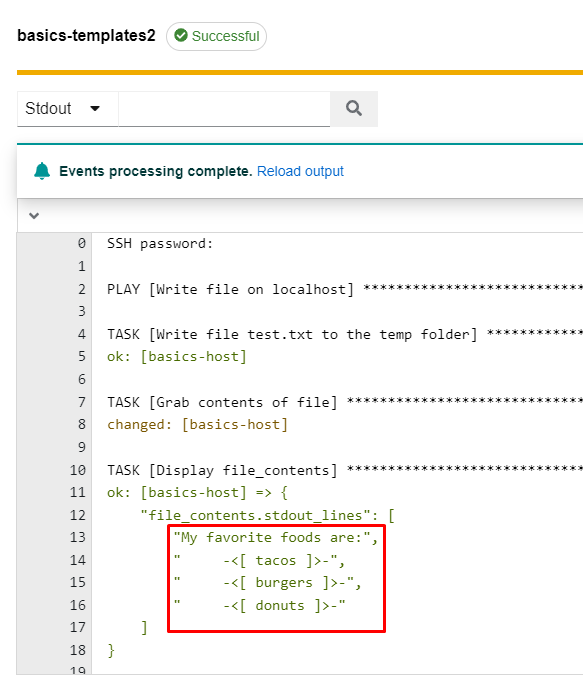
As we can see here, it runs through the list and builds the file.